Introducing In-App Experience for Artist-Fan Communities & Music Discovery, TikTok LIVE Music
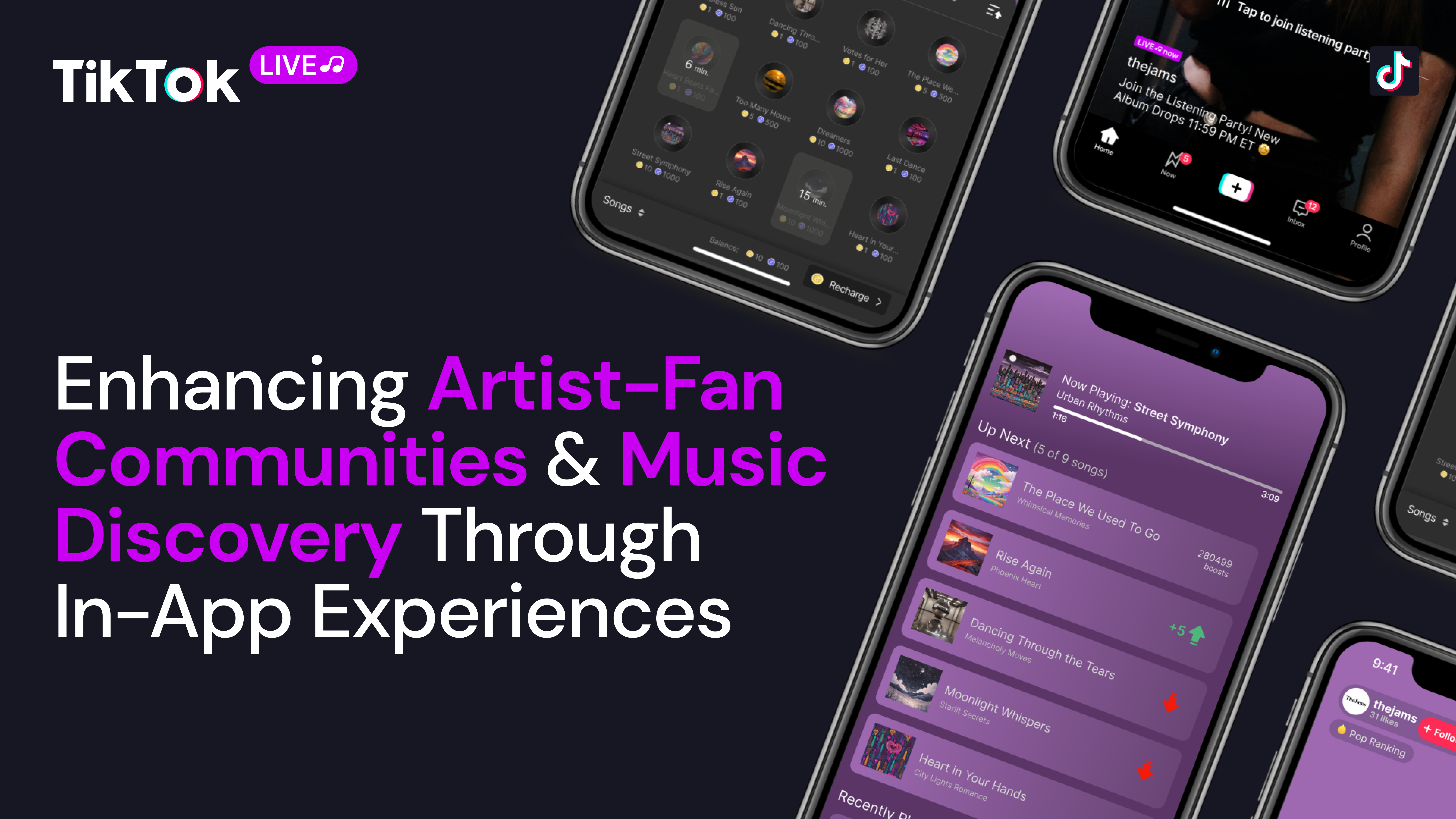
When we look at TikTok’s current state of music discovery, there is a general concern artists who go viral will be unable to maintain a consistent audience, ultimately becoming known as one-hit wonders. While increasing exposure and going viral on TikTok is important, artists also have to ensure their impact is meaningful to sustain their newfound success. So, how do we achieve this? Our team, The Jams, propose implementing a new listening party feature that builds on top of TikTok’s current LIVE infrastructure—TikTok LIVE Music. This new feature will bridge the gap between fans and artists by providing a space to explore discography, new and old, in a fresh engaging way. Fans may chat with one another and earn cool rewards, which together work to build a stronger sense of community, all while streaming. Artists may also make surprise appearances to interact with their audience and strengthen their artist-fan communities.
Users are given four unique options to navigate to a Listening Party hosted by an artist, allowing the feature to be readily accessible.
The first option is through the LIVE feature where users will be shown Listening Party streams among other LIVEs. When the “Explore” icon is clicked, a “Music” tab will be included with only Listening Parties listed. This will help present LIVE Music to both current and new TikTok users, especially those already familiar with LIVE.
The second option is through the For You Page where a Listening Party may suddenly appear after the user swipes(in the same way LIVEs appear). This will also help make the new Listening Party feature known to both current and new TikTok users.
The third option is through a new Music feed found by clicking on “Music” at the head of the Home page. At the top of the Music feed is the user's artist following list. A purple ring around the artist’s icon indicates whether or not the artist is currently hosting a Listening Party. This list is presented to encourage users to listen to more songs in an artist’s discography, strengthening the user’s connection with the artist. Furthermore, users may swipe down on the page to see previews of personalized recommended Listening Parties, similar to the For You Page’s setup. Tapping on the preview will lead the user to the Listening Party. Users may opt to filter their recommendations using tags below the user’s artist following list. The Music feed was conceptualized to make the Listening Party feature more identifiable and accessible.
Lastly, the fourth option is on the artist’s profile page. Like TikTok’s LIVE feature, the artist’s icon will be highlighted to indicate that a Listening Party is being hosted. To differentiate between a LIVE and a Listening Party, a purple ring will appear rather than the traditional red ring. This option will help fans identify when their favorite artists are hosting a Listening Party or prompt new listeners to check out the music of an artist they just discovered.
In a busy industry where artists want to grow their community and promote new music, artists are encouraged to reach a wider audience and they can do so by utilizing a new feature within TikTok LIVE Music, a Listening Party. A Listening Party is a type of livestream where artists and their audience can gather to listen to and talk about the artist’s music together.
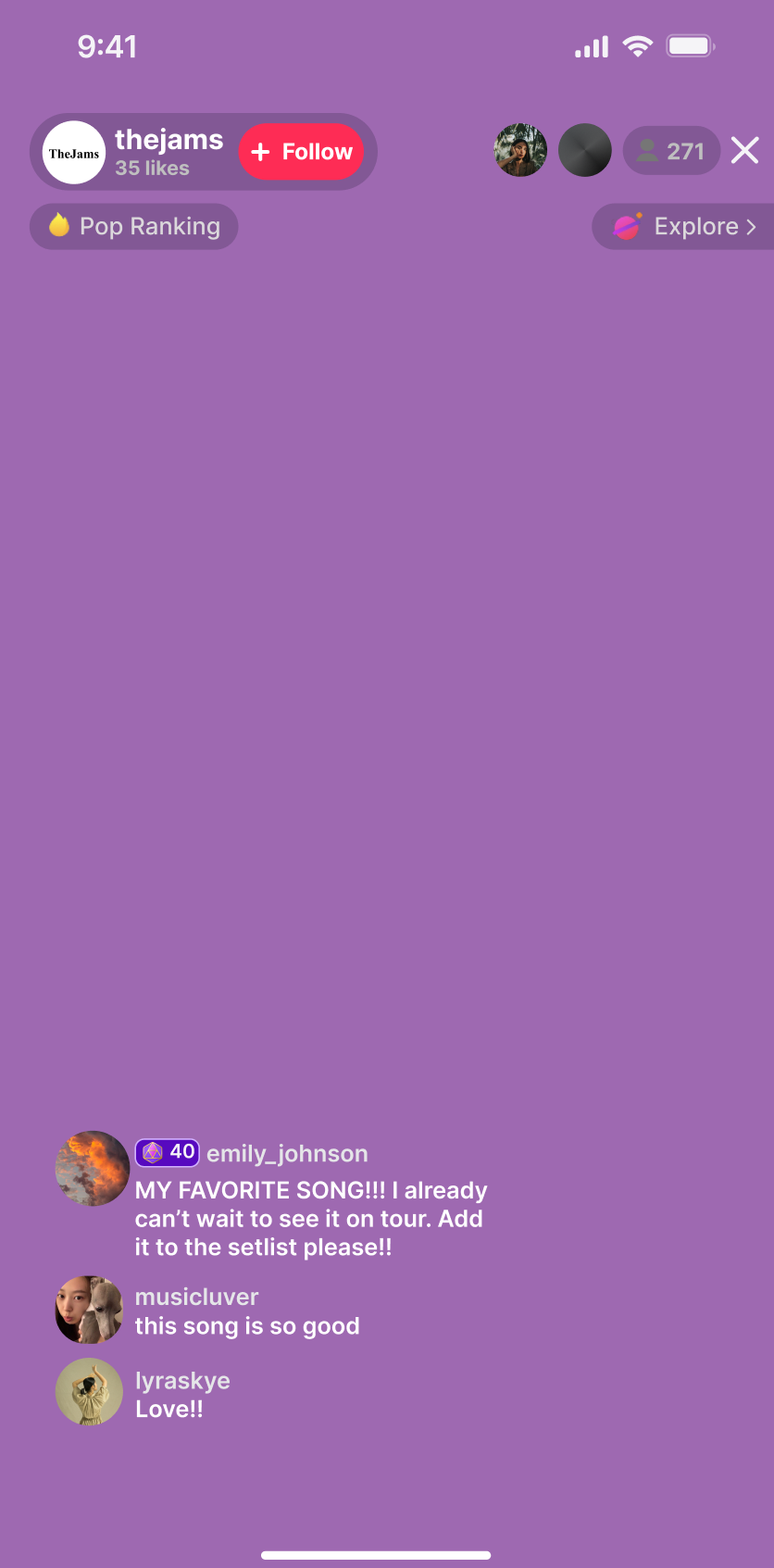
Let’s start off the Listening Party from an artist’s perspective. Artists will have access to start Listening Parties as soon as TikTok approves of their artist profile. To accommodate an artist’s schedule, artists are given the option to plan Listening Parties whether or not they are able to be present. This allows artists to interact with fans and the artists themselves can experience what their audience thinks of their music. When the artist is present, they can decide whether or not to have their video on. Music will always be playing, so the artist can mute themselves whenever necessary or they can pause the music for a moment if the artist wants to talk about the song. If an artist is not able to be present during their Listening Party, they can start the LIVE and then return later to end the party. In the artist’s place of where their video would be, the current song will be displayed instead with three lines of lyrics at a time. Even though the artist is not present, the feature is still beneficial to the artist as it will help build their community where fans can meet each other and bond over the artist’s music. Artists are given a default playlist that TikTok will provide by taking a sample of the artist’s entire discography despite whether or not the songs have been uploaded to their TikTok music. Artists can edit the default playlist that TikTok suggested or the artist can decide on a playlist themselves and their community will be able to collaborate by boosting songs they want to be added to the queue. More details about the collaborative playlist and boosting features will be discussed in the following sections. Specific features for Listening Parties from the artist’s perspective include buttons such as +Host and Control. The +Host button gives artists the opportunity to invite artists they may or may not know to co-host the Listening Party with them and listeners will be able to listen to music from all participating artists. From the artist perspective, utilizing +Host encourages artists to grow their communities with other artists who may have the same goal. From the listener perspective, if artists utilize +Host then listeners will be introduced to new artists and new genres of music. The Control button allows artists to take over the playlist queue if they want to make changes during their Listening Party.
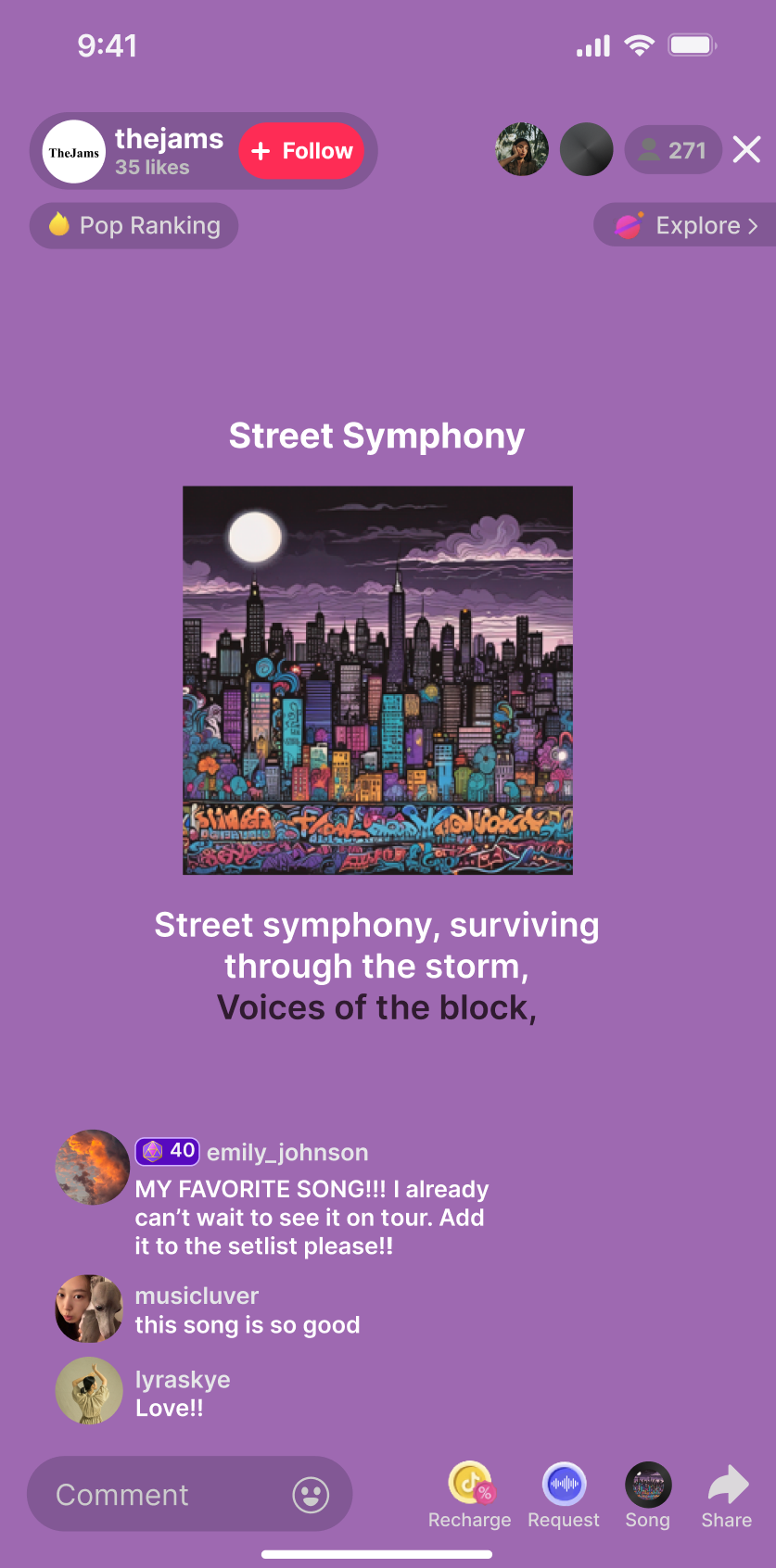
From the listener’s perspective, there are many ways to get involved in a Listening Party. By default, listeners are presented with a main screen containing the current song’s title, cover, and a few lines of the lyrics. Clicking on the lyrics will open a separate screen with the complete lyrics(try it out in the demo below!). At the top of the main screen, listeners will see an option to follow the artist, the song’s category ranking if applicable, the two top listeners, the number of concurrent listeners, and the Explore button. At the bottom of the main screen, listeners can take advantage of the live chat to send messages to the artist as well as chat with other listeners. The bottom also includes an assortment of buttons that will provide listeners with more options(more information in the following sections).
Street Symphony
through the storm,
Voices of the block,


Recharge

Request

Song

Since we want listeners to leave the Listening Party knowing new songs, we give them the option to learn more about the current song being played. By tapping the Song button, listeners will have the ability to bookmark the current song(which is added to their bookmarked sounds on TikTok), add the song to their connected music platform, learn which album the song is from, and observe the lyrics to the song in full. The Song button makes it more convenient for listeners to learn and save the song, thus, creating a more lasting impact.
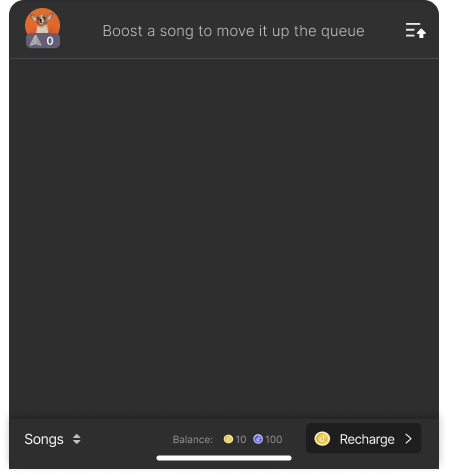
We recognize fans may want to participate in choosing songs to play, thus, we introduce a collaborative playlist with a design intentionally similar to the Gift system in Tiktok’s LIVE feature. Listeners who are already familiar with the Gift system will have little difficulty understanding the new one. When the Request icon at the bottom of the page is tapped, the listener will be presented with an overlay showcasing clickable icons. Each icon, also known as a Boost, includes a song available in the playlist along with a price in both Coins and Tokens(more on this feature later). Coins can be purchased by clicking the Recharge button, which again is identical to the LIVE feature. When the Boosts are tapped and purchased, the listener will help push the respective song forward in the playlist. To see the current playlist with live updates, the listener may tap on the top right icon of the overlay. Since we still want to induce a diverse range of songs to be played, songs will be set on 15 minute cooldowns after being played. This collaborative playlist promotes a stronger sense of community as well as gives an additional reason for listeners to stay and wait for their favorite songs to play. A demo of the collaborative playlist is available below.






Urban Rhythms
| Up Next (5 of 9 songs) |
|---|
The Place We Used To Go Whimsical Memories 0 boost |
Rise Again Phoenix Heart 0 boost |
Dancing Through the Tears Melancholy Moves 0 boost |
Moonlight Whispers Starlit Secrets 0 boost |
Endless Sun Eternal Summer Skies 0 boost |
| Recently Played
(2 of 2 songs) |
|---|
 Dreamers Golden Childhood 6 min. |
 Heart Beats Faster Electric Nights 15 min. |
To encourage listeners to stay and listen to more songs, we introduce a new in-app currency called Tokens that can be earned during the Listening Party, rather than purchased. Listeners will earn 20 Tokens for each completed song they listen to. Tokens can be used to purchase Boosts much like Coins, however, the exchange rate will be 100x greater than Coins. For example, if a song can be boosted by 1 Coin, then it can also be boosted by 100 Tokens, in which case the listener will need to listen to 5 complete songs to gather enough Tokens. This system grants all listeners, whether or not they have the means to purchase Coins, the ability to participate in the collaborative playlist. Listeners will be motivated to listen to more songs to earn Tokens, thereby increasing content exposure and diversity.
A level-up mechanic is added to reward loyal listeners and recognize their participation in Listening Parties. To access the rewards page, listeners can click on their profile on the Boosts page. Listeners will earn experience points that increase their Listener level, similar to the Gift system established in TikTok’s LIVE feature. They will be given badges based on their Listener level that will appear by their name in the artist’s Listening Party comment section. Some badges may include a notification announcing their achievement. This will incentivize fans to listen to songs under an artist’s discography that they may not have heard otherwise, increasing content diversity and building a stronger fan-artist connection.
The Music feed includes a banner titled “Rising Artist Spotlight” for TikTok users to check out new artists. This banner will showcase a single rising artist each week. Tapping this banner will open a popup with more information on the artist. It was important for us to include this banner to not only propel discovery for listeners, but to also support up-and-coming artists.
Artists may opt to display a community goal on their profile page for a limited time. This feature can be used to encourage album streams, sales, presales, and pre-saves. Moreover, clicking on the community goal will provide more information about the artist and their goal. The community goal gives fans a clear call-to-action with pressure to be completed under a deadline. As a result, fans will be more likely to interact and achieve goals set by the artist.
With the time constraint of the 2024 TikTok TechJam in mind, we prioritized developing the UI design and user flow of our concept so audiences can better understand our vision. We built our full demonstration in Figma, and assets used can be found in section "VI. Sources" below. Suno AI was used to generate fake songs including titles, lyrics, and covers. In addition to our Figma designs, we built our website detailing our new feature using the front-end software framework Svelte. The website is mainly written in JavaScript, HTML, and CSS.
https://www.pewresearch.org/internet/2024/02/22/how-u-s-adults-use-tiktok/
https://luminatedata.com/wp-content/uploads/2022/08/Luminate_Entertainment_365_Final.pdf
https://www.midiaresearch.com/blog/music-discovery-in-2023-is-about-the-journey-not-the-moment
Photo by cottonbro studio:
https://www.pewresearch.org/internet/2024/02/22/how-u-s-adults-use-tiktok/
Photo by Erik Mclean:
https://www.pexels.com/photo/woman-holding-pink-flowers-on-the-tree-8517921/
Photo by Clara Ngo from Pexels:
https://www.pexels.com/photo/back-view-of-a-woman-in-brown-dress-3866555/
Photo by Godisable Jacob:
https://www.pexels.com/photo/photo-of-woman-wearing-yellow-floral-top-871495/
Photo by Rajaa Lemnari:
https://www.pexels.com/photo/couple-together-on-desert-19968907/
AI-Generated Images by Suno AI
 to try out our full demo.
Select
 to check out this article's code.